DXF to SVG converter
Convert a 2D DXF drawing to a scalable SVG online. Preview the model, then download vector linework for a website, diagram or design file.
Files stay on your device
How to convert DXF to SVG
Choose a DXF
Open the drawing from your device. The preview fits the model to the window so you can check its overall shape.
Check the drawing
Review the visible geometry. Open the editor first if you need to change a layer or edit an object.
Download the SVG
Select Download SVG to save the vector result. Import it as artwork in your design tool and verify scale separately if physical dimensions matter.
DXF to SVG example
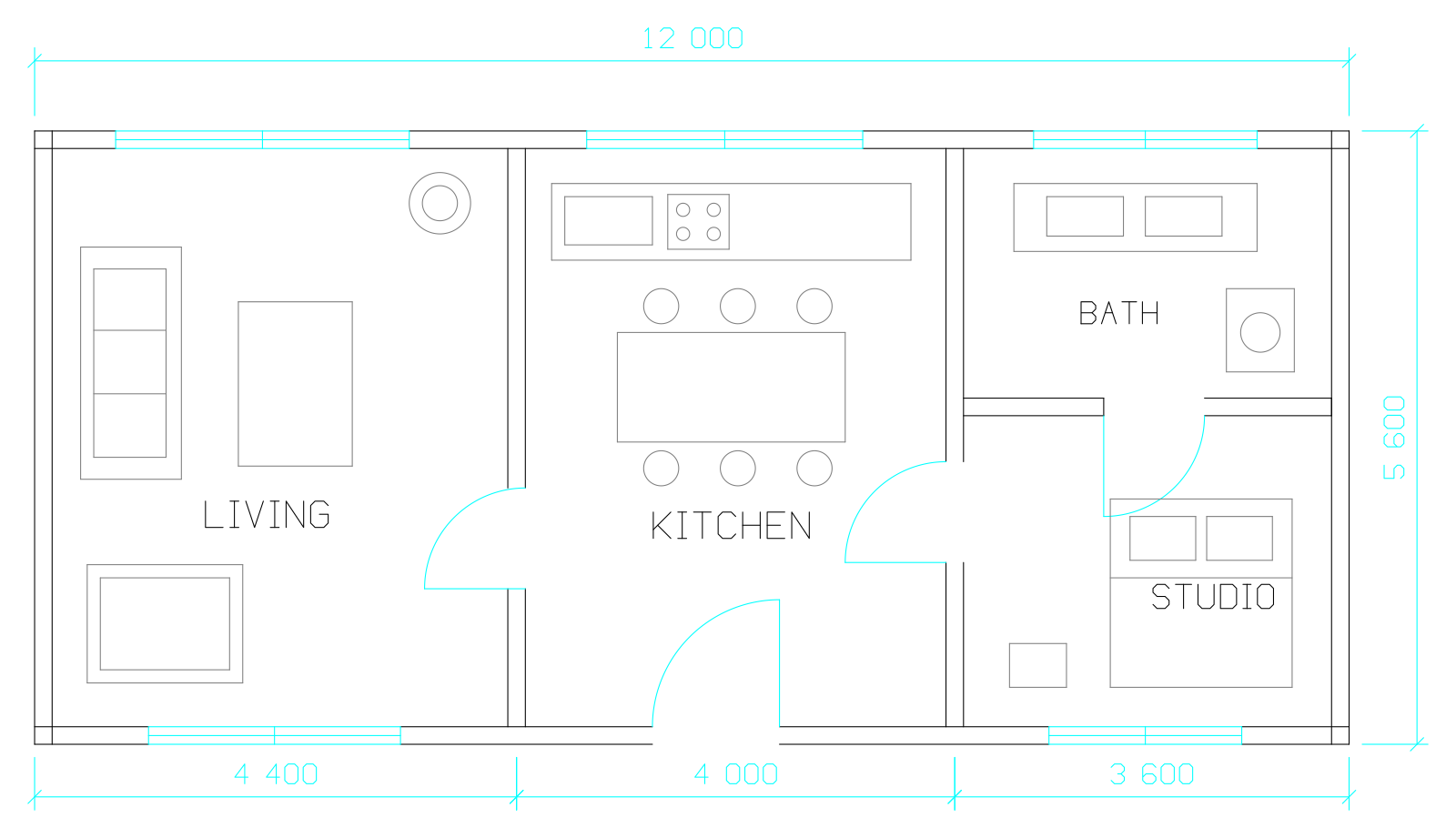
Compare the studio floor plan DXF with the SVG exported by this converter. Open the SVG and zoom into a door swing or a dimension to see how the linework scales.
When SVG is the right export
SVG stores vector geometry that can be enlarged without pixelation. It suits line drawings placed at several sizes on a website, in a vector design tool or in a document. A PNG gives you a fixed image for software that expects pixels.
Keep the DXF as your working file. Use the SVG as artwork: it does not preserve a CAD editing workflow with associative dimensions, layers and reusable blocks.
Check scale after importing the SVG
An SVG can have a drawing coordinate system and a separate display size. When you import it, the destination app decides how to map that size to pixels, millimeters or inches. Measure a segment whose length you know in the DXF and set the scale in the destination app if needed.
Compare labels, curves and hatches with the original. For a fabrication or a dimensioned handoff, agree on units with the recipient and send the checked DXF along with a visual reference.
Common questions
Does the SVG remain sharp when resized?
The export uses vector graphics, so it can be scaled for the web and design tools. Physical dimensions should be checked after import.
Will SVG preserve CAD objects and layers?
SVG is an artwork format. Keep the original DXF for CAD layers, editing, and engineering handoff.