DXF to PNG converter
Turn your 2D CAD drawing into a 2400 × 1600 PNG with dark linework on a white background. All processing happens in your browser.
Files stay on your device
How to convert DXF to PNG
Open a drawing
Choose a DXF or load the sample. Your browser reads the file and fits the 2D model in the preview.
Review the geometry
Zoom in to check the drawing. The export fits the full visible model in black on white, independent of the preview zoom.
Download the PNG
Select Download PNG and insert the image into your document or presentation. Keep the DXF if you need editable geometry later.
DXF to PNG example
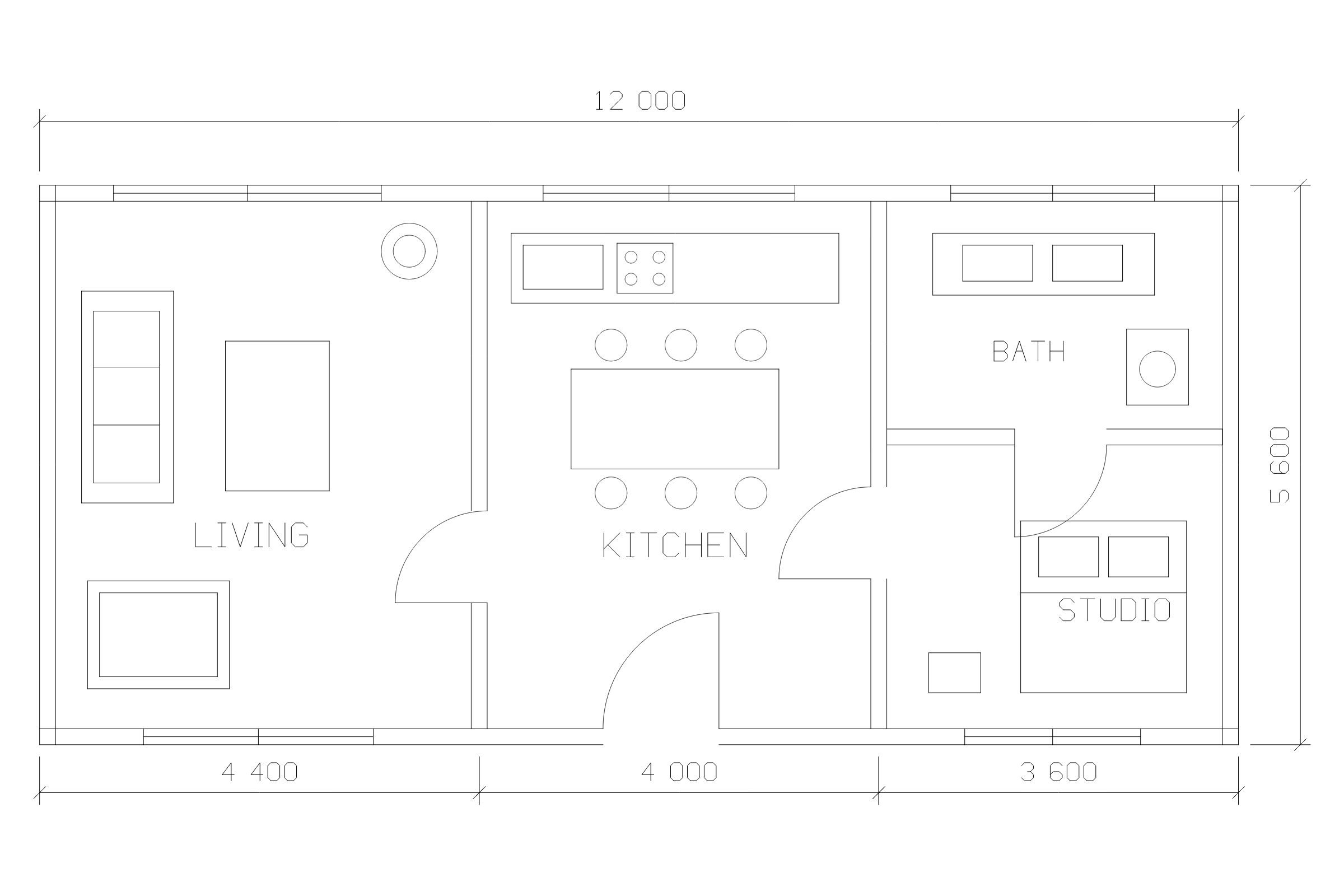
Download the same studio plan as DXF and PNG. The PNG shows the full visible model on white, so you can see how dimensions and room labels look in a report.
What is included in the PNG?
The converter fits the full visible model to the image while preserving its proportions. The zoom level and position in the interactive preview are only for inspection. For a close-up, crop the downloaded image in an image editor, or create a separate DXF containing only the geometry you want to show.
Open the PNG and check text and line weight at the size your audience will see. If a large drawing fits into a small slide, room labels or dimensions may need a close-up alongside the overview.
Choose PNG, SVG or DXF
Use PNG for a fixed picture in a slide, issue report or email. At 300 pixels per inch, 2400 × 1600 pixels cover about 8 × 5.3 inches (20 × 13.5 cm). The physical scale of the CAD geometry is separate from the size at which you print this image.
Use SVG for sharp linework at large or multiple sizes. For someone who needs to inspect exact dimensions or continue editing, send a DXF copy and keep the source drawing.
Common questions
How large is the PNG?
The converter exports an image 2,400 pixels wide and 1,600 pixels high. It fits the model without stretching the drawing.
Which format should I use for a large print?
Use SVG if the artwork needs to scale. Use PNG for documents and slides where a fixed-size image is convenient.